

Companies, institutions and government departments are starting to realise the benefits of managing their assets using dedicated Asset Management software. In the past, organisations have not been keeping proper records of their assets, or have only managed them with modest levels of information that was manually recorded or on basic computer systems.
The environment and recording requirements in which assets operate have changed, so the need to properly record your assets has become more pronounced, and the information necessary to manage your assets has also become more complex.
Managing assets could be done by hand on paper, although that isn't a very usable or efficient option, as typically there are thousands of assets in a small to medium organisation. It also rarely allows access to an instant and accurate list of an organisation's assets.
An enquiry as to the whereabouts of a school's digital camera, for example, or office laptops, will generally require some time to investigate before an accurate response can be obtained. Computerised asset registers could be created using a spreadsheet program such as Microsoft Excel, however that is not an efficient system either. Manual asset management also leaves an organisation wide open to theft. The most versatile solution is dedicated Asset Tracking software, often with barcoded asset tags and portable barcode reading equipment.
In Australia, these systems are being designed, developed and delivered to businesses by local companies who have a demonstrated track record in areas such as automated asset management. Australian companies have been at the forefront of development and are recognised world wide for the cutting edge solutions that have enabled corporations, government departments and schools to gain complete control of their assets for a relatively small investment. The efficiencies gained create improved productivity and accuracy.
By simply attaching a barcode to fixed assets, management is able to create an easily accessible account of what the company owns, can conduct periodic physical inventories, can quickly track those who have custody of each asset, and can minimise the loss of equipment through pilfering.
Some Definitions
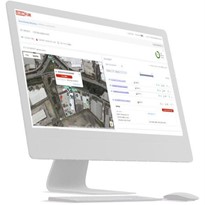
- Asset tracking software is at the core of an organisation's management of its assets, such as reporting, historical data, disposal, maintenance and so on. But, in the simplest possible view, a system needs to know what your assets are, and where they are.
- An Asset is anything that an organisation owns or is responsible for. Assets can be computers, tools, publications, furniture, office equipment, and so on. They can also be vehicles, roads, bridges, paint, or even trees, but this paper focuses on equipment assets.
- A Location is a place where an asset is stored, kept or held. Locations may be rooms, shelves, cupboards, buildings, yards, and so on.
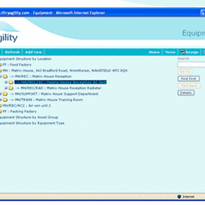
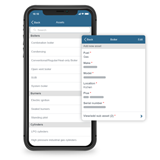
- An Asset Register is a list of all of the Assets in an asset portfolio, together with information about those assets, such as manufacturer, brand, model, condition, location, etc., set out so that the data can be retrieved as required.
Implementing an Equipment Asset Register
Getting started is probably the toughest part of implementing an Asset Tracking System.
One of the first things you will need to do is determine the type of assets you have so you can select the appropriate type of label or labels. There are many types of label materials available, from paper based permanent (basic applications) right through to metalised or teflon coated labels (generally used for assets subject to harsh and rigorous conditions).
Next, you need to identify the separate locations that you want to record assets against - generally, these will be rooms or perhaps even shelves or clearly defined sections of a larger area.
Enter these locations into the Asset Tracking system, and then print barcode labels for the locations. Next, attach the location barcode to the location - we find that the top of the door jamb is very convenient.
After you have the locations defined, the next step is to enter the asset details. If you already have a list of your assets in a computer-readable format (for instance, in Excel spreadsheets, or Access databases), you've almost finished before you started - all you need to do is import this data into your Asset Tracking program, then print out the location and asset labels, then go around and stick the labels on the right assets and locations, and you're done!
As with any large task, the best approach is "divide-and-conquer". Work on a single room or location at a time, and if you have helpers, give them a defined section of the room, or a whole room or location of their own. There's often no need to finish the job all at once.
There are two main ways that you can build an Asset Register from the ground up. You could enter the details of all of your assets into the Asset Tracking program, print out labels, and then attach the labels to the assets. The main advantage of this method is that you can print the asset details on the labels.
The other way to get your Asset Register started is to print a sequence of labels, then attach them to the assets. Then, scan the label and enter the asset details into the Asset Tracking program.
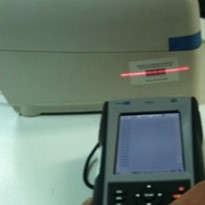
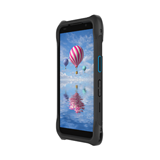
Once you have your assets and locations defined, we suggest that you perform an assets check. This usually involves loading the asset database (or a sub-set of it) into a portable barcode scanner, then taking the scanner around to each location, scanning the location barcode, and then all of the assets within the location.
Asset management is less time consuming, more accurate and generally much easier once the decision is made to invest in an automated asset management system.
-160x160-state_article-rel-cat.png)



-160x160-state_article-rel-cat.png)
-160x160-state_article-rel-cat.png)