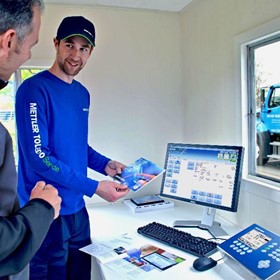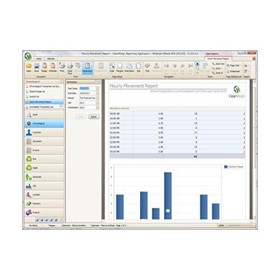

Weighbridge Software | Axle Weight
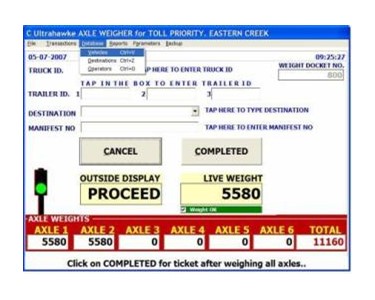
The Ultrahawke Weighbridge Software | Axle Weight has been designed for use as either a manned or un-manned system.
A typical sequence of operations is as follows:
-
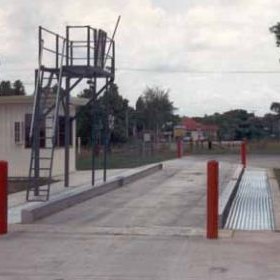
Driver approaches axle weigher and ensures weight display is ZERO
-
Driver positions Steer on axle weigher
-
Remote Display will display weight of Steer (1= weight, T = weight)
-
When weight has been captured Remote Display will display PROCEED
-
Driver positions Drive on axle weigher
-
Remote Display will display weight of Steer (2= weight, T = weight)
-
Driver positions First Tri-axle on axle weigher
-
Remote Display will display weight of Steer (3= weight, T = weight)
-
Driver positions Second Tri-axle on axle weigher
-
Remote Display will display weight of Steer (4= weight, T = weight)
When all the axle groups have been weighed and whilst the last axle is still in position on the axle weigher the driver takes the following action if system is manned by an operator:
-
Driver exits vehicle and proceeds to PC location
-
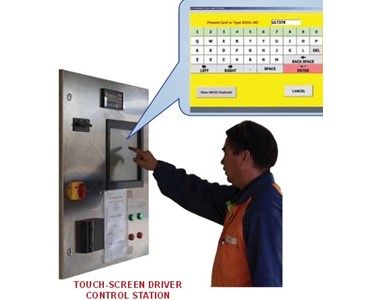
Driver enters vehicle ID
-
Driver enters any information relating to Customer, Destination and Seal Numbers
-
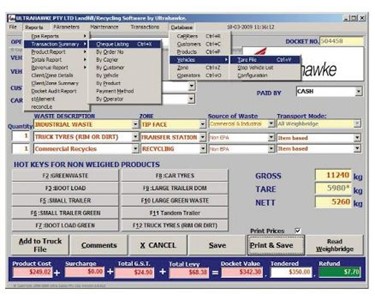
Driver clicks the PRINT & SAVE button on the PC screen and collects weighbridge docket
-
Driver vacates axle weigher
Any weighing transaction that has been Saved or Printed and Saved will be stored on the PC and may be recalled at a later date. Each transaction is given a sequential number and this number is printed on the weighbridge docket.
A variation to the standard program allows for control of the axle weigher software to be taken over by different locations where the software has been installed (Despatch, Main Office, Warehouse etc). This feature provides the customer more flexibility of operations when information from the Axle Weigher is required by different departments within the one organization. A button will be displayed on each screen to TAKE CONTROL. It will be possible to print the weighbridge docket either at the location of the PC that has taken control or where the driver is present.
Prior to the program being used for the first time it will be necessary to put information into the Vehicle, Destination and Operator data bases. This will be done by the operator and not by the supplier of the software. (This is optional as all information can be free entry, but if the driver is given a list to pick from it will be easier for most).
For more information on Ultrahawke weighbridge software, please call or use the enquiry box for a direct reply.
To contact Ultrahawke about Weighbridge Software | Axle Weight use Get a quote.
A typical sequence of operations is as follows:
-
Driver approaches axle weigher and ensures weight display is ZERO
-
Driver positions Steer on axle weigher
-
Remote Display will display weight of Steer (1= weight, T = weight)
-
When weight has been captured Remote Display will display PROCEED
-
Driver positions Drive on axle weigher
-
Remote Display will display weight of Steer (2= weight, T = weight)
-
Driver positions First Tri-axle on axle weigher
-
Remote Display will display weight of Steer (3= weight, T = weight)
-
Driver positions Second Tri-axle on axle weigher
-
Remote Display will display weight of Steer (4= weight, T = weight)
When all the axle groups have been weighed and whilst the last axle is still in position on the axle weigher the driver takes the following action if system is manned by an operator:
-
Driver exits vehicle and proceeds to PC location
-
Driver enters vehicle ID
-
Driver enters any information relating to Customer, Destination and Seal Numbers
-
Driver clicks the PRINT & SAVE button on the PC screen and collects weighbridge docket
-
Driver vacates axle weigher
Any weighing transaction that has been Saved or Printed and Saved will be stored on the PC and may be recalled at a later date. Each transaction is given a sequential number and this number is printed on the weighbridge docket.
A variation to the standard program allows for control of the axle weigher software to be taken over by different locations where the software has been installed (Despatch, Main Office, Warehouse etc). This feature provides the customer more flexibility of operations when information from the Axle Weigher is required by different departments within the one organization. A button will be displayed on each screen to TAKE CONTROL. It will be possible to print the weighbridge docket either at the location of the PC that has taken control or where the driver is present.
Prior to the program being used for the first time it will be necessary to put information into the Vehicle, Destination and Operator data bases. This will be done by the operator and not by the supplier of the software. (This is optional as all information can be free entry, but if the driver is given a list to pick from it will be easier for most).
For more information on Ultrahawke weighbridge software, please call or use the enquiry box for a direct reply.
To contact Ultrahawke about Weighbridge Software | Axle Weight use Get a quote.
- Your delivery location?
- NSW
- VIC
- QLD
- SA
- WA
- NT
- ACT
- TAS
- New Zealand
- Papua New Guinea
- Afghanistan
- Albania
- Algeria
- Andorra
- Angola
- Antigua and Barbuda
- Argentina
- Armenia
- Austria
- Azerbaijan
- Bahamas
- Bahrain
- Bangladesh
- Barbados
- Belarus
- Belgium
- Belize
- Benin
- Bhutan
- Bolivia
- Bosnia and Herzegovina
- Botswana
- Brazil
- Brunei
- Bulgaria
- Burkina Faso
- Burma
- Burundi
- Cabo Verde
- Cambodia
- Cameroon
- Canada
- Central African Republic
- Chad
- Chile
- China
- Colombia
- Comoros
- Congo (Brazzaville)
- Congo (Kinshasa)
- Costa Rica
- Côte d'Ivoire
- Croatia
- Cuba
- Cyprus
- Czechia
- Denmark
- Djibouti
- Dominica
- Dominican Republic
- Ecuador
- Egypt
- El Salvador
- Equatorial Guinea
- Eritrea
- Estonia
- Ethiopia
- Fiji
- Finland
- France
- Gabon
- Gambia
- Georgia
- Germany
- Ghana
- Greece
- Grenada
- Guatemala
- Guinea
- Guinea-Bissau
- Guyana
- Haiti
- Holy See
- Honduras
- Hungary
- Iceland
- India
- Indonesia
- Iran
- Iraq
- Ireland
- Israel
- Italy
- Jamaica
- Japan
- Jordan
- Kazakhstan
- Kenya
- Kiribati
- Korea, North
- Korea, South
- Kosovo
- Kuwait
- Kyrgyzstan
- Laos
- Latvia
- Lebanon
- Lesotho
- Liberia
- Libya
- Liechtenstein
- Lithuania
- Luxembourg
- Macedonia
- Madagascar
- Malawi
- Malaysia
- Maldives
- Mali
- Malta
- Marshall Islands
- Mauritania
- Mauritius
- Mexico
- Federated States of Micronesia
- Moldova
- Monaco
- Mongolia
- Montenegro
- Morocco
- Mozambique
- Namibia
- Nauru
- Nepal
- Netherlands
- New Zealand
- Nicaragua
- Niger
- Nigeria
- Norway
- Oman
- Pakistan
- Palau
- Panama
- Papua New Guinea
- Paraguay
- Peru
- Philippines
- Poland
- Portugal
- Qatar
- Romania
- Russia
- Rwanda
- Saint Kitts and Nevis
- Saint Lucia
- Saint Vincent and the Grenadines
- Samoa
- San Marino
- Sao Tome and Principe
- Saudi Arabia
- Senegal
- Serbia
- Seychelles
- Sierra Leone
- Singapore
- Slovakia
- Slovenia
- Solomon Islands
- Somalia
- South Africa
- South Sudan
- Spain
- Sri Lanka
- Sudan
- Suriname
- Swaziland
- Sweden
- Switzerland
- Syria
- Taiwan
- Tajikistan
- Tanzania
- Thailand
- Timor-Leste
- Togo
- Tonga
- Trinidad and Tobago
- Tunisia
- Turkey
- Turkmenistan
- Tuvalu
- Uganda
- Ukraine
- United Arab Emirates
- United Kingdom
- United States
- Uruguay
- Uzbekistan
- Vanuatu
- Venezuela
- Vietnam
- Yemen
- Zambia
- Zimbabwe
- NSW
- VIC
- QLD
- SA
- WA
- NT
- ACT
- TAS
- New Zealand
- Papua New Guinea
- Afghanistan
- Albania
- Algeria
- Andorra
- Angola
- Antigua and Barbuda
- Argentina
- Armenia
- Austria
- Azerbaijan
- Bahamas
- Bahrain
- Bangladesh
- Barbados
- Belarus
- Belgium
- Belize
- Benin
- Bhutan
- Bolivia
- Bosnia and Herzegovina
- Botswana
- Brazil
- Brunei
- Bulgaria
- Burkina Faso
- Burma
- Burundi
- Cabo Verde
- Cambodia
- Cameroon
- Canada
- Central African Republic
- Chad
- Chile
- China
- Colombia
- Comoros
- Congo (Brazzaville)
- Congo (Kinshasa)
- Costa Rica
- Côte d'Ivoire
- Croatia
- Cuba
- Cyprus
- Czechia
- Denmark
- Djibouti
- Dominica
- Dominican Republic
- Ecuador
- Egypt
- El Salvador
- Equatorial Guinea
- Eritrea
- Estonia
- Ethiopia
- Fiji
- Finland
- France
- Gabon
- Gambia
- Georgia
- Germany
- Ghana
- Greece
- Grenada
- Guatemala
- Guinea
- Guinea-Bissau
- Guyana
- Haiti
- Holy See
- Honduras
- Hungary
- Iceland
- India
- Indonesia
- Iran
- Iraq
- Ireland
- Israel
- Italy
- Jamaica
- Japan
- Jordan
- Kazakhstan
- Kenya
- Kiribati
- Korea, North
- Korea, South
- Kosovo
- Kuwait
- Kyrgyzstan
- Laos
- Latvia
- Lebanon
- Lesotho
- Liberia
- Libya
- Liechtenstein
- Lithuania
- Luxembourg
- Macedonia
- Madagascar
- Malawi
- Malaysia
- Maldives
- Mali
- Malta
- Marshall Islands
- Mauritania
- Mauritius
- Mexico
- Federated States of Micronesia
- Moldova
- Monaco
- Mongolia
- Montenegro
- Morocco
- Mozambique
- Namibia
- Nauru
- Nepal
- Netherlands
- New Zealand
- Nicaragua
- Niger
- Nigeria
- Norway
- Oman
- Pakistan
- Palau
- Panama
- Papua New Guinea
- Paraguay
- Peru
- Philippines
- Poland
- Portugal
- Qatar
- Romania
- Russia
- Rwanda
- Saint Kitts and Nevis
- Saint Lucia
- Saint Vincent and the Grenadines
- Samoa
- San Marino
- Sao Tome and Principe
- Saudi Arabia
- Senegal
- Serbia
- Seychelles
- Sierra Leone
- Singapore
- Slovakia
- Slovenia
- Solomon Islands
- Somalia
- South Africa
- South Sudan
- Spain
- Sri Lanka
- Sudan
- Suriname
- Swaziland
- Sweden
- Switzerland
- Syria
- Taiwan
- Tajikistan
- Tanzania
- Thailand
- Timor-Leste
- Togo
- Tonga
- Trinidad and Tobago
- Tunisia
- Turkey
- Turkmenistan
- Tuvalu
- Uganda
- Ukraine
- United Arab Emirates
- United Kingdom
- United States
- Uruguay
- Uzbekistan
- Vanuatu
- Venezuela
- Vietnam
- Yemen
- Zambia
- Zimbabwe
Weighbridges | Heavy Industry | Ultrahawke
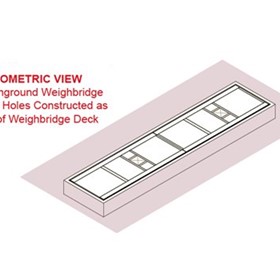
Fully Inground Weighbridges
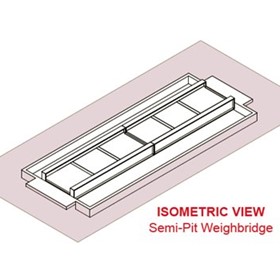
Ground Level Semi-Pit Weighbridges
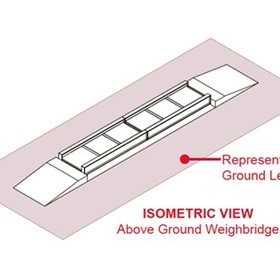
Concrete Above Ground Weighbridges
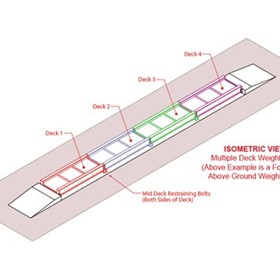
Multi-Deck Weighbridges
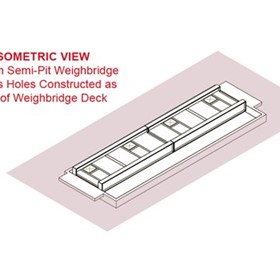
Single Clear-Space Semi-Pit Weighbridges
Weighbridge Accessories
Industrial Vehicle Platform Weighers & Scales
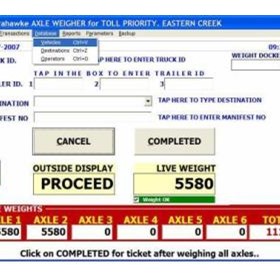
Weighbridge Software | Axle Weight
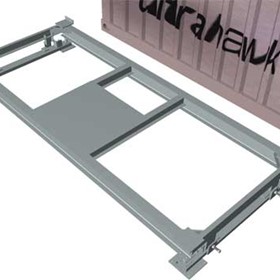
Shipping Container Scales
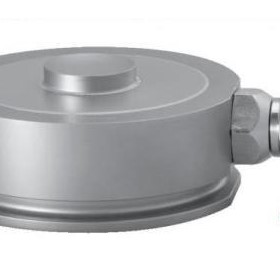
Pancake Load Cell | Flintec Q50
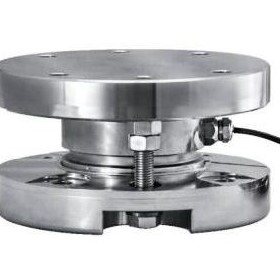
Industrial Load Cells and Load Mountings | Flintec Load Cells
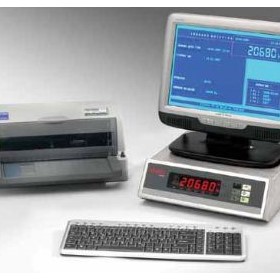
Weighing Terminals for Weighbridges | Flintec FT-16 | Flintec FT-16D
Thanks for your help!
Sorry! Unable to submit your request at this time. Please try again later.
Report this product