
Let us get you 3 quotes
Compare and select the best SCADA Software
Compare Quotes

Find the right
SCADA Software
SCADA Software
Join industrial buyers comparing supplier quotes and buying with confidence. Free, quick and easy.

How IndustrySearch works
Tell us what you need
Answer a few quick questions about the equipment you're looking for.
Get personalised quotes
Receive tailored quotes from relevant Australian suppliers.
Compare and choose
Compare quotes, ask questions and choose the best option for you.
Looking to buy the best Siemens SCADA Software for sale? Get Quotes sends your requirements to expert suppliers in Australia so you get personalised quotes to compare SCADA Software prices, specifications, features and terms then choose the one that’s right for you. Also compare servicing, consumables and reviews, so you can buy with confidence.
 Save time
 Compare quotes
 Buy with confidence
Save time, compare quotes & buy with confidence
SCADA Software Suppliers
Updated Jan 05, 2024

Siemens | Siemens Australia & New Zealand
Siemens is a reliable and accountable technology based solutions provider operating across six key business areas – power, communications, automation, transportation, healthcare and buildings. The Siemens Industrial Automation & Control business has operated in Australia for over 45 years and has a truly national presence with five offices located throughout the Australian ...
Siemens is a reliable and accountable technology based solutions provider operating across six key business areas – power, communications, automation, transportation, healthcare and buildings. The Siemens Industrial Automation & Control business has operated in Australia for over 45 years and has a truly national presence with five offices located throughout the Australian ...
Siemens SIMATIC WinCC V6 + Service Pack 4 - SCADA Software
WinCC Version 6 SP4 is the latest version of SCADA software from Siemens, providing new software support, improved engineering and runtime ...
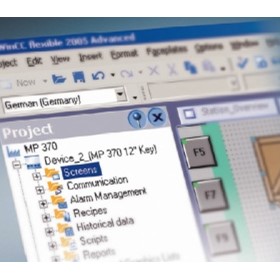
Siemens SIMATIC WinCC Flexible 2005 SP1 - HMI Software
WinCC Flexible 2005 SP1 is the latest version of HMI software from Siemens, providing improved engineering performance, support for numerous ...

SCADA Software
SCADA Software
What is a SCADA software, and how does it work?
(SCADA stands for Supervisory Control and Data Acquisition) is a type of software used for monitoring and controlling industrial processes and equipment. It collects real-time data from sensors and other devices, and displays it on a central computer screen, allowing operators to monitor and control the process from a single location. SCADA software is commonly used in industries such as manufacturing, energy, water treatment, and transportation. It typically consists of several components, including a human-machine interface (HMI), a database to store data, and communication protocols to connect to various devices. The HMI provides an easy-to-use graphical interface for operators to interact with the process, while the database stores historical data for analysis and optimization. Communication protocols allow the software to connect to various devices, such as programmable logic controllers (PLCs) and remote terminal units (RTUs), to collect data and send commands. Overall, SCADA software helps improve efficiency, safety, and reliability in industrial processes.
What are the benefits of using a SCADA software in my industrial process?
SCADA (Supervisory Control and Data Acquisition) software is a powerful tool used in the automation and control of industrial processes. Its benefits include:
- Increased Efficiency: SCADA software provides real-time monitoring and control of industrial processes, enabling operators to identify and address issues quickly, reducing downtime and improving productivity.
- Improved Safety: SCADA systems can be programmed to detect and respond to safety incidents, reducing the risk of accidents and injuries in the workplace.
- Enhanced Data Collection and Analysis: SCADA software can collect and analyze data from various sensors and devices, providing valuable insights into the performance of industrial processes and allowing for data-driven decision-making.
- Remote Monitoring and Control: SCADA systems can be accessed remotely, allowing operators to monitor and control industrial processes from anywhere, improving flexibility and responsiveness.
- Cost Savings: By improving efficiency, reducing downtime, and minimizing the risk of accidents, SCADA software can help organizations save money in the long run.
How do I choose the right SCADA software for my specific industry and application?
(SCADA) is a crucial component of many industries, including manufacturing, energy, and transportation. Choosing the right SCADA software can be a daunting task, as there are many factors to consider. Here are some key considerations to keep in mind when selecting a SCADA software:
- Industry-specific features: The SCADA software you choose should be tailored to your specific industry and application. For example, if you work in water treatment, you'll need SCADA software that can monitor water quality, flow rates, and other vital data.
- Scalability: Your SCADA software must be able to scale as your business grows. Look for software that can handle increasing data loads and can be easily upgraded.
- Integration: Your SCADA software must be able to integrate with other systems, such as PLCs, HMIs, and sensors. Check that the software you choose supports the protocols used by your existing hardware.
- User-friendly: Your SCADA software should be user-friendly and easy to navigate. Look for software with a simple interface that allows you to easily configure and monitor your system.
- Security: Your SCADA software must be secure, as it will be controlling critical infrastructure. Make sure the software you choose includes features like encryption, authentication, and access control.
- Support: Choose a SCADA software vendor that offers excellent customer support. Look for vendors that provide training, documentation, and ongoing technical support.
What are the key features and functionalities of a SCADA software?
SCADA (Supervisory Control and Data Acquisition) software is a type of software that is used to monitor, control, and manage industrial processes in real-time. The key features and functionalities of a SCADA software include:
- Data Acquisition: SCADA software collects data from various sensors and devices in real-time. This data can be used to monitor the performance of different systems and identify any issues or problems.
- Real-time Monitoring: SCADA software provides real-time monitoring of various systems and processes. This allows operators to quickly identify any abnormalities or issues and take appropriate action.
- Control: SCADA software provides control over various systems and processes. Operators can use the software to adjust settings or take actions to optimize performance.
- Alarm Management: SCADA software provides alarm management functionality to alert operators when there are any issues or abnormalities in the system. Operators can configure the software to send alerts via email, SMS, or other methods.
- Visualization: SCADA software provides visualization tools to display data in a user-friendly format. This allows operators to quickly understand the performance of different systems and processes.
- Reporting: SCADA software provides reporting functionality to generate reports on system performance, alarms, and other key metrics. These reports can be used to identify trends and make informed decisions.
- Integration: SCADA software can be integrated with other systems and devices, such as PLCs, HMIs, and MES systems. This allows operators to control and monitor a wide range of systems and processes from a single interface.
What is the cost of a SCADA software, and how does it vary based on the size and complexity of my application?
The cost of a SCADA software can vary greatly based on the size and complexity of the application. The cost can range from a few thousand dollars to several hundred thousand dollars for a large and complex system. Factors that can influence the cost include the number of devices and sensors that need to be monitored, the amount of data that needs to be processed and analyzed, the level of customization required, and the number of users that need access to the system. In general, smaller and less complex systems will have a lower cost, while larger and more complex systems will have a higher cost. It is important to carefully evaluate the needs of your application and research different SCADA software options to determine the best fit for your budget and requirements.
What kind of technical support and training is provided by the SCADA software supplier?
Suppliers provide technical support and training to their customers to ensure they can effectively use and maintain the software. This includes assistance with installation, configuration, and troubleshooting issues. Training can be provided through online resources, documentation, and in-person training sessions. Some suppliers also offer certification programs to ensure that users have a thorough understanding of the software's capabilities. Additionally, ongoing support is typically provided through a help desk or support team to address any issues that may arise during use.
Can the SCADA software be integrated with other industrial automation systems and equipment?
Can be integrated with other industrial automation systems and equipment, such as PLCs (Programmable Logic Controllers), RTUs (Remote Terminal Units), HMIs (Human Machine Interfaces), and sensors. This integration allows for a more comprehensive and efficient control of industrial processes and operations, as well as better data collection and analysis. It is important to consider the compatibility and communication protocols when choosing a SCADA system and other industrial automation equipment.
What are the security features of the SCADA software to prevent cyber attacks and data breaches?
SCADA software has several security features to prevent cyber attacks and data breaches. Some of the key features include:
- Access Control: SCADA systems have access control mechanisms that limit access to authorized personnel. Users are required to provide login credentials to access the system, and their access levels are restricted based on their roles and responsibilities.
- Encryption: SCADA software uses encryption to protect data in transit and at rest. This ensures that data is not intercepted or modified by unauthorized users.
- Firewalls: SCADA systems are protected by firewalls that filter incoming and outgoing traffic. Firewalls prevent unauthorized access to the system and block malicious traffic.
- Intrusion Detection and Prevention: SCADA systems have intrusion detection and prevention mechanisms that monitor network traffic for signs of suspicious activity. The system can also take proactive measures to prevent attacks.
- Patch Management: SCADA software vendors regularly release security patches to address vulnerabilities in the system. Organizations are encouraged to keep their systems up to date with the latest security patches.
- Auditing and Logging: SCADA systems have auditing and logging mechanisms that record all activities in the system. This helps organizations identify and investigate security incidents.
How can I ensure the SCADA software is compliant with Australian regulations and standards?
Must comply with Australian regulations and standards to ensure the safety, reliability, and security of industrial processes. Here are some steps to ensure compliance:
- Identify relevant regulations and standards: Identify the regulations and standards that apply to your industry and determine which ones are relevant to your SCADA system.
- Understand the requirements: Study the regulations and standards to understand their requirements and how they apply to your SCADA system.
- Verify compliance: Verify that the SCADA software complies with the relevant regulations and standards by reviewing documentation, conducting testing, and obtaining certifications.
- Maintain compliance: Ensure ongoing compliance by monitoring changes to regulations and standards, conducting regular audits, and updating the SCADA software as needed.
What kind of maintenance and upgrades are required for the SCADA software, and how often should they be performed?
SCADA (Supervisory Control and Data Acquisition) software is a critical component in industrial control systems. It is responsible for monitoring and controlling various processes in industries such as oil and gas, power plants, and water treatment facilities. As such, it is essential to ensure that the SCADA software is well-maintained and updated regularly to ensure its optimal performance.
- Maintenance and upgrades for SCADA software can be categorized into three types: preventive maintenance, corrective maintenance, and upgrades.
- Preventive maintenance involves performing routine checks to ensure that the SCADA software is functioning correctly. This includes checking for software updates, backing up critical data, and conducting security audits. Preventive maintenance should be performed on a regular basis, typically once every six months.
- Corrective maintenance involves fixing any issues or problems that arise with the SCADA software. This includes fixing bugs, repairing hardware, and updating software components. Corrective maintenance should be performed as soon as issues are identified to prevent downtime and system failures.
- Upgrades involve updating the SCADA software to the latest version or adding new features and functionalities. Upgrades should be performed periodically, typically once every two years or as needed.
Get 3+ Quotes Now - Compare prices, availability and quality. It’s free, quick and secure.
Back to top
SCADA Software Costs and Supplier Insights
The listed price of a SCADA Software for sale ranges from $10,000 to $50,000, averaging $30,000.
Use Get Quotes to receive personalised prices and proposals from trusted suppliers with top reviews and excellent service.
Buy a SCADA Software Near Me
Save time and delivery costs while getting fast support, by contacting SCADA Software suppliers near you.
Back to top
SCADA Software Articles & Reviews



Are you a SCADA Software supplier?
 Reach valuable industrial buyers in minutes
 Promote key products & content
 Drive cost effective & measurable sales
learn more
Reach valuable industrial buyers in minutes
Promote key products & content
Drive cost effective & measurable sales