
Let us get you 3 quotes
Compare and select the best Estimating Software
Compare Quotes

Find the right
Estimating Software
Estimating Software
Join industrial buyers comparing supplier quotes and buying with confidence. Free, quick and easy.

How IndustrySearch works
Tell us what you need
Answer a few quick questions about the equipment you're looking for.
Get personalised quotes
Receive tailored quotes from relevant Australian suppliers.
Compare and choose
Compare quotes, ask questions and choose the best option for you.
Looking to buy the best Unspecified Estimating Software for sale? Get Quotes sends your requirements to expert suppliers in Australia so you get personalised quotes to compare Estimating Software prices, specifications, features and terms then choose the one that’s right for you. Also compare servicing, consumables and reviews, so you can buy with confidence.
 Save time
 Compare quotes
 Buy with confidence
Save time, compare quotes & buy with confidence
Estimating Software Suppliers
Updated May 27, 2024

Spearhead Software Pty Ltd | Contracting & Service Industry Software
Spearhead Software was established in 1987 and lives on the cutting edge of technology for software design and development. Its flagship program PowerPac, designed and developed in conjunction with Standards Australia for doing the complex electrical calculations based on AS3000 and AS3008 including Cable Sizing Calculations, Voltage Drop Calculations, Earth Fault Loop Calculations, ...
Customers: Contractors, Engineers, Trade/ Construction

Electrical Calculation Software | PowerPac
PowerPac is Australia's most popular Electrical Calculation Software program designed to assist the user of the Australian Standards AS/NZS ...

Electrical Estimating Software | ESPRO
No More Guessing, Get The Right Price, First Time – EVERYTIME

MyPowerPac Web - Electrical Calculation
Ensure accurate electrical calculations from AS3000 and AS3008 from your favourite device

PowerPac 7 Mobile App for Phones - Electrical Calculation
The latest smartphone apps for doing the core calculations from AS3008 on the go
This phone App was the first electrical industry Apps of ...
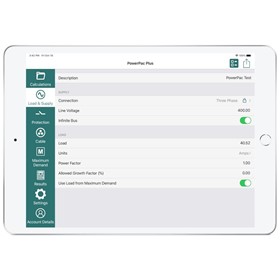
PowerPac 7 Plus App for tablets - Electrical Calculation
The latest tablet apps for doing the core calculations from AS3008 & AS3000 on the go
This tablet App was the first electrical industry App ...

Estimating Software | Labour Cost Software | LabourCalc
LabourCalc Labour Cost Software is a simple and easy to follow calculation tool, for calculating the true cost ...
Price Guide: $249

Ironbark Software | ERP Supply Chain, Manufacturing, Fresh Produce
Ironbark Software is an Australian owned and based company that designs, develops and installs ERP solutions for Supply Chain. The focus is on the whole of supply chain with solutions for manufacturer, distributor, 3PL and 2PL, transport and retailers. These solutions include full financials, mobile and web based applications. Ironbark represents excellent value for medium ...
Ironbark Software is an Australian owned and based company that designs, develops and installs ERP solutions for Supply Chain. The focus is on the whole of supply chain with solutions for manufacturer, distributor, 3PL and 2PL, transport and retailers. These solutions include full financials, mobile and web based applications. Ironbark represents excellent value for medium ...


simPRO Software | Service Management Software
simPRO Enterprise is an feature-rich business management tool. The software has been designed from the ground up by trade and service contractors for the trade and service industry. simPRO Connect for mobile devices provides a seamless connection to the back office for the field technicians. Built for both Project and Service based business, every step of the process is ...
simPRO Enterprise is an feature-rich business management tool. The software has been designed from the ground up by trade and service contractors for the trade and service industry. simPRO Connect for mobile devices provides a seamless connection to the back office for the field technicians. Built for both Project and Service based business, every step of the process is ...

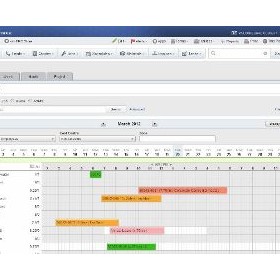

Estimating Software
Estimating Software
What is an estimating software and how does it work?
Estimating software is a computer program that helps businesses and individuals calculate the cost of a project or service. It works by taking into account various factors such as materials, labor, equipment, and other expenses to provide an accurate estimate of the total cost. The software may also include features such as project management tools, scheduling, and invoicing capabilities. Users can input data and customize the estimate based on their specific needs and requirements. Estimating software can save time and increase accuracy in the estimation process, allowing businesses to make informed decisions and improve their profitability.
What are the benefits of using an estimating software for my business?
Estimating software can provide many benefits for businesses, including:
- Increased accuracy: Estimating software can help businesses create more accurate estimates by automating calculations and reducing the risk of human error.
- Time savings: Estimating software can save businesses time by automating the estimation process, allowing estimators to focus on other tasks.
- Consistency: Estimating software can help businesses maintain consistency in their estimates by using standardized templates and formulas.
- Improved communication: Estimating software can help businesses communicate more effectively with clients and stakeholders by providing detailed and professional-looking estimates.
- Cost savings: Estimating software can help businesses save money by reducing the time and resources needed to create estimates and by identifying cost-saving opportunities.
- Increased productivity: Estimating software can help businesses increase productivity by streamlining the estimation process and allowing estimators to focus on other tasks.
What features should I look for in an estimating software?
User-friendly interface: The software should be easy to navigate and use, with clear instructions and intuitive design.
- Customizable templates: The ability to create and save custom templates can save time and ensure consistency in estimates.
- Integration with other software: The ability to integrate with other software, such as accounting or project management software, can streamline processes and reduce errors.
- Collaboration tools: The ability to share estimates with team members and clients and receive feedback can improve communication and accuracy.
- Reporting and analytics: The software should provide detailed reports and analytics to help track project costs, identify trends, and make informed decisions.
- Mobile accessibility: The ability to access and update estimates on mobile devices can improve productivity and flexibility.
How much does an estimating software cost?
The cost of an estimating software varies depending on the features and functionality it offers. Some basic software can be purchased for a one-time fee of a few hundred dollars, while more advanced software with additional features can cost thousands of dollars per year. Some software also offers a subscription-based pricing model, where users pay a monthly or annual fee to access the software. Ultimately, the cost of an estimating software will depend on the specific needs and budget of the user.
Is there a free trial available for the software?
However, it is best to check the website or contact the software provider directly to inquire about any available free trial for their software.
Can the software be customized to fit my business needs?
However, in general, software can often be customized to fit the specific needs of a business. This may involve working with the software provider or a third-party developer to modify the software's features or develop custom integrations. The level of customization available may vary depending on the software and the provider's capabilities. It is important to research and discuss customization options with the software provider before making a purchase.
What kind of support and training is provided with the software?
However, in general, software companies provide various types of support and training to their customers. This may include online tutorials, user manuals, FAQs, customer support hotlines, email support, and live chat support. Some companies may also offer in-person training sessions or webinars to help users get the most out of their software. The level of support and training provided may vary depending on the complexity of the software and the needs of the users.
Is the software compatible with other programs I use in my business?
However, in general, software compatibility can be determined by checking the system requirements and specifications of both programs and ensuring they are compatible with each other. It is also recommended to consult with the software vendors or IT professionals for further assistance.
How secure is the software and my data?
However, in general, the security of software and data depends on various factors such as the level of encryption, access controls, authentication mechanisms, and regular updates to fix vulnerabilities. It is important to use reputable software and follow best practices for data security, such as using strong passwords, regularly backing up data, and avoiding sharing sensitive information over unsecured networks.
What is the process for upgrading or renewing the software?
However, the general process for upgrading or renewing software typically involves the following steps:
- Check for updates: Check if there are any available updates for the software. This can usually be done within the software itself or on the developer's website.
- Download the update: If an update is available, download it from the developer's website or through the software's update feature.
- Install the update: Once the update is downloaded, run the installation process. This may involve closing the software and restarting the computer.
- Activate the update: Some software may require activation after the update is installed. Follow the prompts to activate the update.
- Renew the license: If the software requires a license, renew it through the developer's website or within the software itself.
Get 3+ Quotes Now - Compare prices, availability and quality. It’s free, quick and secure.
Back to top
Estimating Software Costs and Supplier Insights
The listed price of an Estimating Software for sale ranges from $500 to $5,000, averaging $2,750.
If you are looking to buy an Estimating Software for sale, suppliers on IndustrySearch include Spearhead Software Pty Ltd
Use Get Quotes to receive personalised prices and proposals from trusted suppliers with top reviews and excellent service.
Buy a Estimating Software Near Me
Save time and delivery costs while getting fast support, by contacting Estimating Software suppliers near you.
Back to top
Estimating Software Articles & Reviews



Are you an Estimating Software supplier?
 Reach valuable industrial buyers in minutes
 Promote key products & content
 Drive cost effective & measurable sales
learn more
Reach valuable industrial buyers in minutes
Promote key products & content
Drive cost effective & measurable sales