Existco Mobile Picking for QuickBooks
Existco Mobile Picking for QuickBooks gives users the ability to pick at the warehouse the items from QuickBooks Sales Orders with great accuracy and least amount of time and effort.
Imagine if you could save a lot of time, efforts, and money while maintain high accuracy when doing Mobile Order Picking in your warehouse. No more messy paper work, no more mistakes.
Once you finished picking items from the Sales Order, the system will automatically update QuickBooks database and generate invoices for those Sales Orders.
See below 3 Easy Steps :
- Dock Mobile computer in the cradle to download QuickBooks Sales Orders.
- Use the Mobile Computer and pick items for Orders by scanning the item barcodes.
- Once finished, dock Mobile computer in the cradle to upload Processed Sales Order to QuickBooks and automatically generate invoices.
That is it! You don’t have to do anything else. It is all automated for you.
Existco Mobile Picking for QuickBooks will help you save time, money and prevent losses and mistakes of your important work.
This might sound only half of what you are looking for? No problem! Customized software package is our expertise. We will get you exactly what you want!
How It Works
Existco Mobile Picking for QuickBooks is a simple YET powerful tool for every organization.
QuickBooks Sales Orders are created and modified within QuickBooks program on the host PC. The data is then downloaded to the mobile computer via USB connection (Active-sync).
Barcode labels are printed and placed on products, and/or some products may already have barcodes.
To process an order, simply select an order from the order list, and then scan product barcodes with the mobile computer.
Only valid Product barcodes will be accepted for the order.
The data collected is saved on the Mobile computer, and users have the ability to edit saved information if needed.
Once finished, users dock the mobile computer in the cradle and perform data synchronization to host PC.
At this point, the system will upload to QuickBooks the Quantity picked information, and generate appropriate invoices in QuickBooks for those scanned products.
Features
- Integrated to QuickBooks
- Use of Mobile Computers for in field Operation
- Ability to retrieve Sales Orders by Date Range
- Provide users fast and easy way of processing Sales Orders
- QuickBooks Invoices are automatically generated
- No technical knowledge required to use the system
- SQL Server Database
- Friendly and easy to use interface
- Plug and play barcode scanner handheld (no installation required)
- Synchronization between host PC and Mobile computer via USB connection
Benefits
- Users can easily and quickly retrieve all Open Sales Orders from QuickBooks and process them using the mobile computer. No more carrying lots of paper work
- Provide 100% accuracy with barcode technology
- No more mistake while identifying products
- Invoices are generated in no time for processed Sales Orders
- Save time, money and effort
- Lower operation cost with better accuracy
- Professional service
System Requirements
Operating System supported: Windows 2000, XP, Vista and Windows 7.
Disk Space : Min 160MB (Requires .Net 2.0 or 3.5 Framework)
CPU / Memory : Operating System Minimum Requirements
Why Existco?
Existco is a reputable Solution provider with Alliances with the major Brand Names such as Zebra, Intermec, Datalogic, Motorola, Brady and many more.
Existco is also a Microsoft Certified Partners and GS1 Alliance Partner.
Enjoy the professional service and full turnkey solutions at Existco.
To contact Existco Pty Ltd about Existco Mobile Picking for QuickBooks use Get a quote.
Calculating...
Existco Mobile Picking for QuickBooks is software that guides item picking against customer orders using a mobile computer. After picking data reaches the host PC, the system automatically creates invoices in QuickBooks for completed work. Warehouse teams can retrieve open work by date range, so they do not need to carry paperwork around the warehouse.
- Barcode scanning accepts only product codes valid for the selected order
- Users can edit saved picking information on the mobile computer
- Handheld barcode scanner is plug-and-play, with no installation required
- Uses a SQL Server database
- Runs on Windows 2000, XP, Vista and Windows 7
Source: listing by Existco Pty Ltd on IndustrySearch · Updated 5 Nov 2026
AI Overview is generated by artificial intelligence and may contain mistakes.
Written by AI from the listing by Existco Pty Ltd on IndustrySearch. It is meant to use only what that listing says, but it can still get details wrong, so check them with the supplier before you buy.
Thanks for your feedback.
- Your delivery location?
- NSW
- VIC
- QLD
- SA
- WA
- NT
- ACT
- TAS
- New Zealand
- Papua New Guinea
- Afghanistan
- Albania
- Algeria
- Andorra
- Angola
- Antigua and Barbuda
- Argentina
- Armenia
- Austria
- Azerbaijan
- Bahamas
- Bahrain
- Bangladesh
- Barbados
- Belarus
- Belgium
- Belize
- Benin
- Bhutan
- Bolivia
- Bosnia and Herzegovina
- Botswana
- Brazil
- Brunei
- Bulgaria
- Burkina Faso
- Burma
- Burundi
- Cabo Verde
- Cambodia
- Cameroon
- Canada
- Central African Republic
- Chad
- Chile
- China
- Colombia
- Comoros
- Congo (Brazzaville)
- Congo (Kinshasa)
- Costa Rica
- Côte d'Ivoire
- Croatia
- Cuba
- Cyprus
- Czechia
- Denmark
- Djibouti
- Dominica
- Dominican Republic
- Ecuador
- Egypt
- El Salvador
- Equatorial Guinea
- Eritrea
- Estonia
- Ethiopia
- Fiji
- Finland
- France
- Gabon
- Gambia
- Georgia
- Germany
- Ghana
- Greece
- Grenada
- Guatemala
- Guinea
- Guinea-Bissau
- Guyana
- Haiti
- Holy See
- Honduras
- Hungary
- Iceland
- India
- Indonesia
- Iran
- Iraq
- Ireland
- Israel
- Italy
- Jamaica
- Japan
- Jordan
- Kazakhstan
- Kenya
- Kiribati
- Korea, North
- Korea, South
- Kosovo
- Kuwait
- Kyrgyzstan
- Laos
- Latvia
- Lebanon
- Lesotho
- Liberia
- Libya
- Liechtenstein
- Lithuania
- Luxembourg
- Macedonia
- Madagascar
- Malawi
- Malaysia
- Maldives
- Mali
- Malta
- Marshall Islands
- Mauritania
- Mauritius
- Mexico
- Federated States of Micronesia
- Moldova
- Monaco
- Mongolia
- Montenegro
- Morocco
- Mozambique
- Namibia
- Nauru
- Nepal
- Netherlands
- New Zealand
- Nicaragua
- Niger
- Nigeria
- Norway
- Oman
- Pakistan
- Palau
- Panama
- Papua New Guinea
- Paraguay
- Peru
- Philippines
- Poland
- Portugal
- Qatar
- Romania
- Russia
- Rwanda
- Saint Kitts and Nevis
- Saint Lucia
- Saint Vincent and the Grenadines
- Samoa
- San Marino
- Sao Tome and Principe
- Saudi Arabia
- Senegal
- Serbia
- Seychelles
- Sierra Leone
- Singapore
- Slovakia
- Slovenia
- Solomon Islands
- Somalia
- South Africa
- South Sudan
- Spain
- Sri Lanka
- Sudan
- Suriname
- Swaziland
- Sweden
- Switzerland
- Syria
- Taiwan
- Tajikistan
- Tanzania
- Thailand
- Timor-Leste
- Togo
- Tonga
- Trinidad and Tobago
- Tunisia
- Turkey
- Turkmenistan
- Tuvalu
- Uganda
- Ukraine
- United Arab Emirates
- United Kingdom
- United States
- Uruguay
- Uzbekistan
- Vanuatu
- Venezuela
- Vietnam
- Yemen
- Zambia
- Zimbabwe
Calculating...
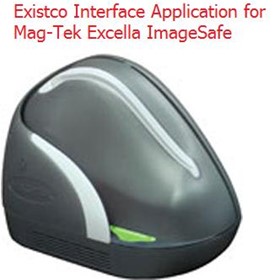
Existco Interface Application for Mag-Tek Excella ImageSafe
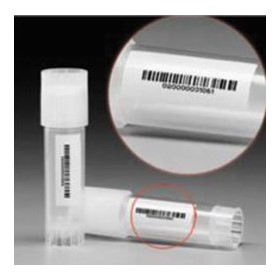
Existco Samples (Vials) Tracking System
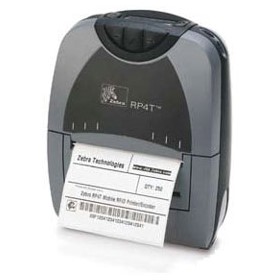
RFID Mobile Label Printer - Zebra® P4T™/RP4T™
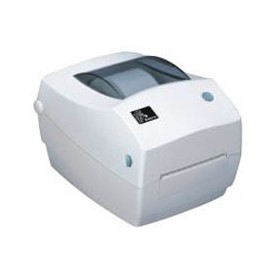
Desktop Thermal, Receipt, Tag & Label Printers - LP/TLP 2844™
Metal Bar Code Printer - Zebra® S4M™
Outdoor Rugged Handheld Computer - Trimble TDS Nomad
Metal Frame Printers - Zebra ZM400
Thermal Desktop Printers for Labels, Receipts & Tags - Zebra Gx420T
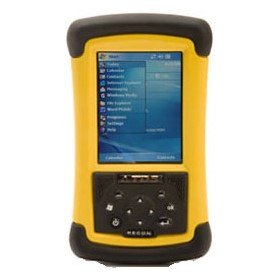
Handheld Mobile Computer - Trimble TDS Recon
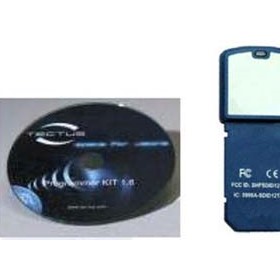
SDK Development Kit - Tectus TLP-121x-AA-SDK
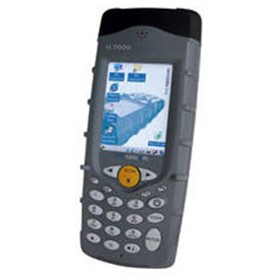
Industrial PDA - Tectus TPP-70-LF-HF

Asset Tracking Solution - Roshtek Asset Manager Version 1.0
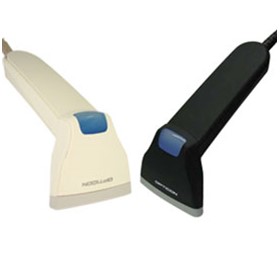
Handheld Barcode CCD Scanner- Opticon OPR 4001
OEM Desktop Reader - Tectus TLF-22
Barcode CCD Scanner - Opticon C37
Worldwide Enterprise Digital Assistant (EDA) - Motorola MC75
Pocket Memory Scanner- Opticon OPN 2001
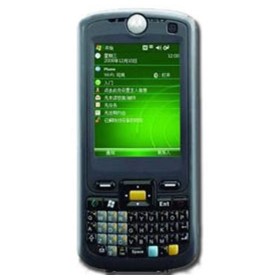
Enterprise Mobile Computer - Motorola FR68
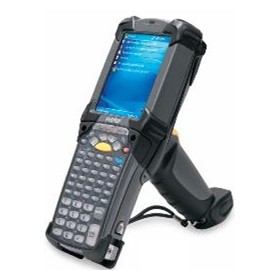
Rugged Mobile Computer - Motorola MC909X-G
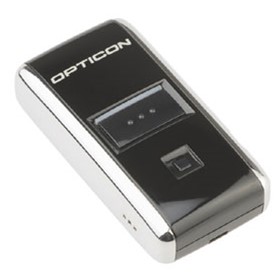
Pocket Memory Scanner - Opticon OPN 2001
Thanks for your help!
Sorry! Unable to submit your request at this time. Please try again later.
Report this product