
Computer Server in Melbourne

Join industrial buyers comparing supplier quotes and buying with confidence. Free, quick and easy.
How IndustrySearch works
Tell us what you need
Answer a few quick questions about the equipment you're looking for.
Get personalised quotes
Receive tailored quotes from relevant Australian suppliers.
Compare and choose
Compare quotes, ask questions and choose the best option for you.
 Save time
 Compare quotes
 Buy with confidence
Save time, compare quotes & buy with confidence
Computer Server Suppliers in Melbourne

Outerspace Design Group is an Computer Server supplier to Melbourne
Outerspace Design shapes consumer experiences. Through industrial design, product development and strategic planning. We help our clients target and exceed their business objectives. We design and develop medical, electronic and consumer products and structural packaging solutions from initial concept to reality Our Services Outerspace provides all the product development ...

Components Plus is an Computer Server supplier to All
Established in 1988, and focusing on the South East of Melbourne and the Mornington Peninsula, key to the ongoing success of Components Plus (CPlus) is the ability to provide high quality service to our customers. Our accredited IT consultants and technical staff maintain rigorous industry certifications to ensure that products being supplied by CPlus will be implemented, ...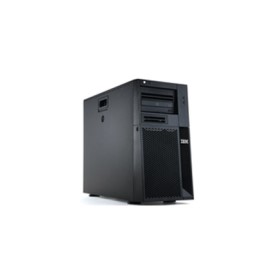

XENON Systems is an Computer Server supplier to Melbourne
XENON assists complex teams and organisations to do great new things. With over two decades of experience in designing and deploying supercomputers, servers and HPC clusters under their belt, XENON has become the leader in high performance computing, storage and artificial intelligence solutions. Now expanded to become the XENON Technology Group, the company applies the same ...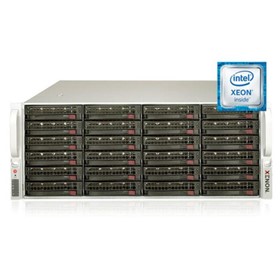
Xenon Systems Computer Server | RADON™ Duo R1490
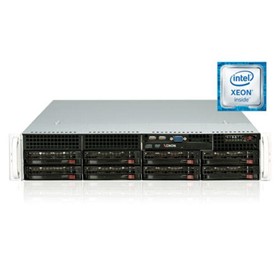
Xenon Systems Computer Server | RADON™ Duo R1190

- Tower servers: These servers are designed to be placed on a desk or floor and are ideal for small businesses that need a standalone server.
- Rack servers: Rack servers are designed to be mounted in a server rack and are ideal for larger businesses that need multiple servers.
- Blade servers: Blade servers are designed to be housed in a blade enclosure and are ideal for businesses that need a high-density server solution.
- Microservers: Microservers are small, low-cost servers that are designed for specific tasks such as file and print sharing or hosting a website.
- Storage: The amount of storage you need will depend on the amount of data you plan on storing on your server. If you plan on storing large files, such as videos or images, you will need more storage capacity. A good starting point is 1TB, but if you plan on storing a lot of data or running a database server, you may need 2TB or more.
- Linux: This is a free and open-source operating system that is widely used in server environments. It offers a high level of security, stability, and flexibility, with many distributions available to suit different needs.
- Windows Server: This is a paid operating system from Microsoft that is designed specifically for server environments. It offers a wide range of features and tools for managing and monitoring servers, as well as support for many popular applications.
- FreeBSD: This is a free and open-source operating system that is known for its stability and security. It is often used in web hosting and other server environments.
- - Support: Many manufacturers offer technical support for their pre-built servers.
- - Compatibility: Components in pre-built servers are tested to ensure compatibility, reducing the risk of incompatibility issues.
- Cons:
- - Cost: Pre-built servers can be more expensive than building your own due to the added cost of labor and components.
- - Limited customization: Pre-built servers often have limited customization options, making it difficult to tailor them to your specific needs.
- - Upgradability: Pre-built servers may not be as easily upgradable as home-built servers, limiting their lifespan.
- Building your own server:
- Pros:
- - Cost: Building your own server can be cheaper than buying a pre-built server as you can choose the components and shop for deals.
- - Customization: Building your own server allows you to customize it to your specific needs.
- - Upgradability: Home-built servers are often more easily upgradable than pre-built servers, extending their lifespan.
- Cons:
- - Time-consuming: Building your own server can be time-consuming, requiring research, assembly, and testing.
- - No warranty: Home-built servers do not come with a warranty, meaning you are responsible for any hardware failures.
- Performance: The performance of a server is essential, especially for businesses that require high-speed data processing and storage. Ensure that the server brand you choose can handle heavy workloads and provides fast processing speeds.
- Scalability: As your business grows, your server needs will also increase. Make sure to choose a server brand that is scalable and can accommodate your future needs.
- Support: Technical support is a crucial factor to consider when choosing a server brand. Ensure that the brand you choose provides reliable technical support and has a knowledgeable customer service team.
- Cost: Finally, cost is a significant factor to consider when choosing a server brand. Ensure that the brand you choose provides value for money and fits within your budget.
- Extended Warranty: Extended warranties offer additional coverage beyond the standard warranty period. These warranties can be purchased at the time of the server's purchase or before the standard warranty expires.
- On-Site Support: On-site support ensures that a technician will come to your location to repair or replace faulty hardware.
- Remote Support: Remote support allows a technician to access your server remotely to troubleshoot and fix any issues.
- 24/7 Support: Some manufacturers offer 24/7 support, ensuring that you can get help with your server at any time.
- Keep your operating system and software up to date: Make sure you regularly update your server's operating system and software to protect against known vulnerabilities.
- Use strong passwords: Use strong passwords and change them regularly. Avoid using the same password for multiple accounts.
- Install antivirus and firewall software: Install antivirus and firewall software to protect against malware and unauthorized access.
- Limit access to your server: Only give access to those who need it and ensure they use strong passwords and follow security protocols.
- Use encryption: Use encryption to protect sensitive data and communication between your server and other devices.
- Regularly back up your data: Regularly back up your data to ensure you can recover from a cyber attack or other data loss event.
- Train your employees: Educate your employees on cybersecurity best practices and ensure they follow them.
- Additionally, if a server starts experiencing frequent breakdowns or performance issues, it may be time to replace it to avoid downtime and data loss.
Computer Server Costs and Supplier Insights
Why choose a supplier in Melbourne for Computer Server Quotes?
If you are in Melbourne and considering purchasing a Computer Server, it's worth considering Melbourne-based suppliers. Doing so offers several benefits that are particularly relevant to businesses in the area. Here are the top reasons why opting for a local Melbourne supplier can be the best decision for your Computer Server buying needs.
Local Expertise for Computer Server Legal StandardsBenefit from local expertise in Computer Server legal standards in Melbourne. Stay ahead of regulatory changes with suppliers who focus on compliance.
Access to Computer Server Training Experts in MelbourneGain direct access to Computer Server training experts. Local suppliers can provide tailored instruction that fits your specific needs and challenges.
Support Local Industry with Computer Server PurchasesSupport local industry and commerce by choosing Computer Server from Melbourne. Every purchase helps sustain and grow the local business ecosystem.
Cost-Effective Computer Server SolutionsFind cost-effective Computer Server solutions when you buy from suppliers in locally. Local sourcing eliminates many hidden costs associated with international shipping.
Ensuring Computer Server Quality with Melbourne SuppliersEnsure your Computer Server meets the highest quality standards with the expert guidance of Melbourne suppliers. Excellence in every detail.
Lower Carbon EmissionsContribute to lower carbon emissions by buying a Computer Server from Melbourne. Shorter supply routes mean significantly reduced environmental impact.
Buy a Computer Server Near Me

 Reach valuable industrial buyers in minutes
 Promote key products & content
 Drive cost effective & measurable sales