
Uniwell POS Software | Phoenix II
Uniwell - POS Software | Phoenix II
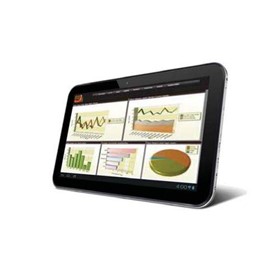
Phoenix II is the second generation of Uniwell’s Android-compatible application that integrates exclusively with our HX-series POS terminals to provide remote, handheld ordering capabilities.
Phoenix II is the second generation of Uniwell’s Android-compatible application that integrates exclusively with our HX-series POS terminals to provide remote, handheld ordering capabilities. Easy to use functionality and search facilities make Phoenix II a must-have addition to your café, restaurant or bistro.
Product Features:
- PLU button: Enables faster and easier operation with fewer scrolls..
- Graphic on PLU button: Eye-catching graphic images for more intuitive operation.
- Table map button: Allows viewing of the table status at a glance.
- Category sort: Easier verification of orders.
- Stored time display on each store operation: Improve venue management.
- Bill number entry in Table number system: Pick up by bill number is now possible.
- Entry of course item in Set menu: Never forget your customers’ choice.
- PLU deactivate: You can deactivate out-of-season PLUs.
- Close all open group menus by “Gesture Entry”: Gesture Entry to close all open group menus allows faster task switching.
- New action buttons for Store and Media added to the sales screen: Easier access than before.
- Dark/Light theme: Customise your screen to fit with the atmosphere of your venue.
- Flexible PLU search, switchable by number or name: Simple operation – just press and hold “PLU search” for a couple of seconds to switch.
- Font size follows the setting in Android (small-medium-large-huge): Customise to suit the operator.
- “Home (default) application” function supported: Lock the device to stop other applications being opened during operation.
- Automated integration of item data from the HX-POS: Once Phoenix II downloads the PLU and price data from your POS terminal, a clerk can immediately sign on and start adding customer orders. No need to program the application itself.
- Security protection by license code generated by MAC address: Only a device that is registered on the POS terminal with a valid license code can integrate with the system.
- Set Menu operation: When a Set menu is selected, waitstaff will be prompted to choose course items from the list and will know once the full number of items for each course has been registered (indicated by ‘n/n’).
- Condiments, Cooking Instructions: When a PLU has a link for Condiment options or Cooking Instructions, waitstaff will automatically be prompted with a list of applicable alternatives to choose from, ensuring that the customer is presented with the appropriate choices.
- Picture on PLU list: You can take a picture of PLU using the camera of the Android device and save it, which is then shown on the icon next to the item name. The picture can also be enlarged, allowing waitstaff to present a visual example to customers!
- Split bill: This convenient function allows individuals in a group to check out separately.
- PLU repeat: Very easy to register the same items already ordered by other customers – simply tap PLU to increment the Qty in sale window.
- Clerk Open Track List: When waitstaff sign on, they will see the list of their assigned tables to choose from.
- Close/Media-Close by “Gesture Entry”: Gesture Entry to Close/Media-Close operation by one action, without pressing any buttons.
- Media Close: You can close a table without going to HX-series POS terminal to finalize the transaction.
- Mobile Printing (Bluetooth Connection): Connect to a mobile printer for subtotal bill printing via a Bluetooth connection. Operator can carry the mobile printer attached to his/her belt and print immediately when commanded from Phoenix II.
Flexible Printer Selection: Printer can be selected at the time of subtotal bill and media close, improving operator efficiency.
Product Advantages:
- Exclusive integration with HX-series POS terminals
- Friendly & intuitive – particularly appropriate for younger, technically familiar waitstaff
- Lower initial outlay (Phoenix II + generic Android device < 3rd party proprietary handheld)
- A wide variety of Android devices available to suit durability, environment and operator requirements
- Easy to try – you can trial Phoenix II with your own Android smart phone or tablet
- Staff can be allowed to use their own smart phone
- Fast communication to the POS network via high speed Wi-Fi
- Flexible network installation with industry standard Wi-Fi router and extenders available locally
To contact Uniwell POS Australia about Uniwell POS Software | Phoenix II use Get a quote.
Phoenix II is the second generation of Uniwell’s Android-compatible application that integrates exclusively with our HX-series POS terminals to provide remote, handheld ordering capabilities. Easy to use functionality and search facilities make Phoenix II a must-have addition to your café, restaurant or bistro.
Product Features:
- PLU button: Enables faster and easier operation with fewer scrolls..
- Graphic on PLU button: Eye-catching graphic images for more intuitive operation.
- Table map button: Allows viewing of the table status at a glance.
- Category sort: Easier verification of orders.
- Stored time display on each store operation: Improve venue management.
- Bill number entry in Table number system: Pick up by bill number is now possible.
- Entry of course item in Set menu: Never forget your customers’ choice.
- PLU deactivate: You can deactivate out-of-season PLUs.
- Close all open group menus by “Gesture Entry”: Gesture Entry to close all open group menus allows faster task switching.
- New action buttons for Store and Media added to the sales screen: Easier access than before.
- Dark/Light theme: Customise your screen to fit with the atmosphere of your venue.
- Flexible PLU search, switchable by number or name: Simple operation – just press and hold “PLU search” for a couple of seconds to switch.
- Font size follows the setting in Android (small-medium-large-huge): Customise to suit the operator.
- “Home (default) application” function supported: Lock the device to stop other applications being opened during operation.
- Automated integration of item data from the HX-POS: Once Phoenix II downloads the PLU and price data from your POS terminal, a clerk can immediately sign on and start adding customer orders. No need to program the application itself.
- Security protection by license code generated by MAC address: Only a device that is registered on the POS terminal with a valid license code can integrate with the system.
- Set Menu operation: When a Set menu is selected, waitstaff will be prompted to choose course items from the list and will know once the full number of items for each course has been registered (indicated by ‘n/n’).
- Condiments, Cooking Instructions: When a PLU has a link for Condiment options or Cooking Instructions, waitstaff will automatically be prompted with a list of applicable alternatives to choose from, ensuring that the customer is presented with the appropriate choices.
- Picture on PLU list: You can take a picture of PLU using the camera of the Android device and save it, which is then shown on the icon next to the item name. The picture can also be enlarged, allowing waitstaff to present a visual example to customers!
- Split bill: This convenient function allows individuals in a group to check out separately.
- PLU repeat: Very easy to register the same items already ordered by other customers – simply tap PLU to increment the Qty in sale window.
- Clerk Open Track List: When waitstaff sign on, they will see the list of their assigned tables to choose from.
- Close/Media-Close by “Gesture Entry”: Gesture Entry to Close/Media-Close operation by one action, without pressing any buttons.
- Media Close: You can close a table without going to HX-series POS terminal to finalize the transaction.
- Mobile Printing (Bluetooth Connection): Connect to a mobile printer for subtotal bill printing via a Bluetooth connection. Operator can carry the mobile printer attached to his/her belt and print immediately when commanded from Phoenix II.
Flexible Printer Selection: Printer can be selected at the time of subtotal bill and media close, improving operator efficiency.
Product Advantages:
- Exclusive integration with HX-series POS terminals
- Friendly & intuitive – particularly appropriate for younger, technically familiar waitstaff
- Lower initial outlay (Phoenix II + generic Android device < 3rd party proprietary handheld)
- A wide variety of Android devices available to suit durability, environment and operator requirements
- Easy to try – you can trial Phoenix II with your own Android smart phone or tablet
- Staff can be allowed to use their own smart phone
- Fast communication to the POS network via high speed Wi-Fi
- Flexible network installation with industry standard Wi-Fi router and extenders available locally
To contact Uniwell POS Australia about Uniwell POS Software | Phoenix II use Get a quote.
Uniwell Phoenix II is an Android-compatible app that connects exclusively with HX-series POS terminals for remote, handheld order entry. It downloads PLU and price data from the terminal, so staff can sign in and start taking orders without programming the app. Cafes, restaurants and bistros can use it to close a table without going to the HX-series terminal.
- Set menus prompt waitstaff to select items for each course
- Condiment and cooking-instruction links prompt staff with applicable choices
- Split bills let people in a group check out separately
- Bluetooth mobile printing supports subtotal bills from a carried printer
- Licence codes generated from device MAC addresses limit integration to registered devices
Source: listing by Uniwell POS Australia on IndustrySearch
· Updated 3 Nov 2026
Supplier document: phoenixii-brochure (PDF)
AI Overview is generated by artificial intelligence and may contain mistakes.
Written by AI from the listing by Uniwell POS Australia on IndustrySearch. It is meant to use only what that listing says, but it can still get details wrong, so check them with the supplier before you buy.
Thanks for your feedback.
- Your delivery location?
- NSW
- VIC
- QLD
- SA
- WA
- NT
- ACT
- TAS
- New Zealand
- Papua New Guinea
- Afghanistan
- Albania
- Algeria
- Andorra
- Angola
- Antigua and Barbuda
- Argentina
- Armenia
- Austria
- Azerbaijan
- Bahamas
- Bahrain
- Bangladesh
- Barbados
- Belarus
- Belgium
- Belize
- Benin
- Bhutan
- Bolivia
- Bosnia and Herzegovina
- Botswana
- Brazil
- Brunei
- Bulgaria
- Burkina Faso
- Burma
- Burundi
- Cabo Verde
- Cambodia
- Cameroon
- Canada
- Central African Republic
- Chad
- Chile
- China
- Colombia
- Comoros
- Congo (Brazzaville)
- Congo (Kinshasa)
- Costa Rica
- Côte d'Ivoire
- Croatia
- Cuba
- Cyprus
- Czechia
- Denmark
- Djibouti
- Dominica
- Dominican Republic
- Ecuador
- Egypt
- El Salvador
- Equatorial Guinea
- Eritrea
- Estonia
- Ethiopia
- Fiji
- Finland
- France
- Gabon
- Gambia
- Georgia
- Germany
- Ghana
- Greece
- Grenada
- Guatemala
- Guinea
- Guinea-Bissau
- Guyana
- Haiti
- Holy See
- Honduras
- Hungary
- Iceland
- India
- Indonesia
- Iran
- Iraq
- Ireland
- Israel
- Italy
- Jamaica
- Japan
- Jordan
- Kazakhstan
- Kenya
- Kiribati
- Korea, North
- Korea, South
- Kosovo
- Kuwait
- Kyrgyzstan
- Laos
- Latvia
- Lebanon
- Lesotho
- Liberia
- Libya
- Liechtenstein
- Lithuania
- Luxembourg
- Macedonia
- Madagascar
- Malawi
- Malaysia
- Maldives
- Mali
- Malta
- Marshall Islands
- Mauritania
- Mauritius
- Mexico
- Federated States of Micronesia
- Moldova
- Monaco
- Mongolia
- Montenegro
- Morocco
- Mozambique
- Namibia
- Nauru
- Nepal
- Netherlands
- New Zealand
- Nicaragua
- Niger
- Nigeria
- Norway
- Oman
- Pakistan
- Palau
- Panama
- Papua New Guinea
- Paraguay
- Peru
- Philippines
- Poland
- Portugal
- Qatar
- Romania
- Russia
- Rwanda
- Saint Kitts and Nevis
- Saint Lucia
- Saint Vincent and the Grenadines
- Samoa
- San Marino
- Sao Tome and Principe
- Saudi Arabia
- Senegal
- Serbia
- Seychelles
- Sierra Leone
- Singapore
- Slovakia
- Slovenia
- Solomon Islands
- Somalia
- South Africa
- South Sudan
- Spain
- Sri Lanka
- Sudan
- Suriname
- Swaziland
- Sweden
- Switzerland
- Syria
- Taiwan
- Tajikistan
- Tanzania
- Thailand
- Timor-Leste
- Togo
- Tonga
- Trinidad and Tobago
- Tunisia
- Turkey
- Turkmenistan
- Tuvalu
- Uganda
- Ukraine
- United Arab Emirates
- United Kingdom
- United States
- Uruguay
- Uzbekistan
- Vanuatu
- Venezuela
- Vietnam
- Yemen
- Zambia
- Zimbabwe
- NSW
- VIC
- QLD
- SA
- WA
- NT
- ACT
- TAS
- New Zealand
- Papua New Guinea
- Afghanistan
- Albania
- Algeria
- Andorra
- Angola
- Antigua and Barbuda
- Argentina
- Armenia
- Austria
- Azerbaijan
- Bahamas
- Bahrain
- Bangladesh
- Barbados
- Belarus
- Belgium
- Belize
- Benin
- Bhutan
- Bolivia
- Bosnia and Herzegovina
- Botswana
- Brazil
- Brunei
- Bulgaria
- Burkina Faso
- Burma
- Burundi
- Cabo Verde
- Cambodia
- Cameroon
- Canada
- Central African Republic
- Chad
- Chile
- China
- Colombia
- Comoros
- Congo (Brazzaville)
- Congo (Kinshasa)
- Costa Rica
- Côte d'Ivoire
- Croatia
- Cuba
- Cyprus
- Czechia
- Denmark
- Djibouti
- Dominica
- Dominican Republic
- Ecuador
- Egypt
- El Salvador
- Equatorial Guinea
- Eritrea
- Estonia
- Ethiopia
- Fiji
- Finland
- France
- Gabon
- Gambia
- Georgia
- Germany
- Ghana
- Greece
- Grenada
- Guatemala
- Guinea
- Guinea-Bissau
- Guyana
- Haiti
- Holy See
- Honduras
- Hungary
- Iceland
- India
- Indonesia
- Iran
- Iraq
- Ireland
- Israel
- Italy
- Jamaica
- Japan
- Jordan
- Kazakhstan
- Kenya
- Kiribati
- Korea, North
- Korea, South
- Kosovo
- Kuwait
- Kyrgyzstan
- Laos
- Latvia
- Lebanon
- Lesotho
- Liberia
- Libya
- Liechtenstein
- Lithuania
- Luxembourg
- Macedonia
- Madagascar
- Malawi
- Malaysia
- Maldives
- Mali
- Malta
- Marshall Islands
- Mauritania
- Mauritius
- Mexico
- Federated States of Micronesia
- Moldova
- Monaco
- Mongolia
- Montenegro
- Morocco
- Mozambique
- Namibia
- Nauru
- Nepal
- Netherlands
- New Zealand
- Nicaragua
- Niger
- Nigeria
- Norway
- Oman
- Pakistan
- Palau
- Panama
- Papua New Guinea
- Paraguay
- Peru
- Philippines
- Poland
- Portugal
- Qatar
- Romania
- Russia
- Rwanda
- Saint Kitts and Nevis
- Saint Lucia
- Saint Vincent and the Grenadines
- Samoa
- San Marino
- Sao Tome and Principe
- Saudi Arabia
- Senegal
- Serbia
- Seychelles
- Sierra Leone
- Singapore
- Slovakia
- Slovenia
- Solomon Islands
- Somalia
- South Africa
- South Sudan
- Spain
- Sri Lanka
- Sudan
- Suriname
- Swaziland
- Sweden
- Switzerland
- Syria
- Taiwan
- Tajikistan
- Tanzania
- Thailand
- Timor-Leste
- Togo
- Tonga
- Trinidad and Tobago
- Tunisia
- Turkey
- Turkmenistan
- Tuvalu
- Uganda
- Ukraine
- United Arab Emirates
- United Kingdom
- United States
- Uruguay
- Uzbekistan
- Vanuatu
- Venezuela
- Vietnam
- Yemen
- Zambia
- Zimbabwe
POS Software / DDA / Hospitality Software
POS Software / DDA / Retail System
Intuitive Restaurant POS Software - Dinerware
POS Software Gives Pub Staff Happier Hours
Head Office & Back Office POS Software from Vectron
Latest POS Software for Coffee Shops
Cafe POS Software
POS Software | Idealpos 8
POS Software | Back Office
POS Software | StarrPOS
POS Software | IdealPOS
POS Software | Starrpos
POS Software |Wholesale & Warehouse POS Solutions
Restaurant POS Software
Delivery TakeAway POS Software
Events POS Software
SENPOS Advantage Software | POS Software
POS Software Online Ordering
POS Software | SwiftPOS
Thanks for your help!
Sorry! Unable to submit your request at this time. Please try again later.
Report this product