
Zebra Thermal Transfer Printer | ZD420T
Zebra - Thermal Transfer Printer | ZD420T Price Guide: $812
Zebra ZD420T - Thermal Transfer - USB/Ethernet/BT
- Thermal Transfer
- 4 Inch Value Printer
- USB , Ethernet, & Bluetooth Connectivity
- Supports ZPL & EPL
- 203 DPI
- Free Delivery
A new level of ease of use, application flexibility, management simplicity and TCO.
The ZD420 leads its printer class in deployment and management simplicity, ease-of-use, application flexibility and total cost of ownership (TCO). The next generation in Zebra's advanced desktop line, the ZD420 replaces Zebra's popular GK420 Series. You get an easy to use clam-shell design and an intuitive interface. Field-installable connectivity and media handling options allow you to purchase what you need today, yet easily add new features on site to meet tomorrow's needs. Link-OS® supports our powerful Print DNA suite of applications, utilities and developer tools that deliver a superior printing experience through better performance, simplified remote manageability and easier integration. Available in direct thermal and thermal transfer and healthcare-specific models, the ZD420 is ideal for a wide range of applications. The ZD420 - when ease of use, flexibility and management simplicity matter.
New at-a-glance five LED icons take the guesswork out of printer status.
A three-button user interface with five LED status icons replaces the typical single button/single light interface common in desktop printers. There's no guesswork involved - users can instantly see what's needed to keep printers up and running, from replacing media to resolving printer issues.
Backwards compatibility with virtually any existing printer
With the ZD420, whether you are currently using a Zebra or competitive printer, you'll be able to use the same label formats and applications you're using today. The ZD420 supports both EPL and ZPL printer languages. And with on printer Virtual Devices, part of Zebra's Print DNA suite of tools and utilities, the ZD420 can use languages normally associated with other printer brands.
Multiple connectivity options
With multiple connectivity options, you can connect the ZD420 to your existing wired and wireless networks, or directly to any other PC. The ZD420 comes standard with USB and USB Host. You can also choose optional Ethernet or serial and a dual wireless radio that offers the very latest wireless options, Wi-Fi 802.11ac and MFi certified Bluetooth 4.1, which enables printing from any iOS device. And using the included Print Touch tag (NFC), users can simply tap a compatible mobile device on the ZD420 to pair and print - as well as instantly access Zebra's extensive knowledge base of how-to videos.
Optional battery for cordless operation
With the removable desktop battery power option, you can easily transport the ZD420 printer on a cart to enable on-the-spot printing to reduce steps, increase productivity and improve task accuracy. The battery housing mounts securely to the printer base and connecting the battery is as simple as snapping the battery into the housing. And the high-capacity battery can power it for a full shift - the printer at maximum print speed, along with a peeler, cutter and keyboard.
Sharp 300dpi printing
With 300dpi printing, you can support more applications. The high image quality enables printing of small 2D labels or labels that require graphics, such as a logo or icon. And if you don't need 300dpi printing today, you can easily change in the field using an accessory kit as your applications evolve.
Easily manage all your printers — all from a single location
The ZD420 supports Zebra Link-OS, a one-of-a-kind enterprise printer operating system that makes it easier than ever to manage and troubleshoot your networked printers from one remote location. With optional Printer Profile Manager Enterprise, you can manage one printer, a group of specific printers or all printers anywhere in the world. Instantly discover every ZD420 printer on your network — there’s no need to walk through the facility to locate, configure or troubleshoot printers. And an intuitive browser-based interface lets you see printer status at a glance, complete with information that allows you to quickly triage printer issues to prevent or minimize downtime.
Seamless integration with your device management system
With our MDM Connectors, you can easily integrate networked ZD420 printers into your AirWatch or SOTI MobiControl device management system.
Easily configure non-networked printers
The USB Host port makes it easy to connect to all your external devices, including keyboards and scanners, and can also be utilized to upgrade printer firmware automatically and set up new printer configurations.
Maximize uptime with Zebra Visibility Services
If you’re still tracking your printers manually, then you are likely missing out on information that could save you money. With Zebra, you can choose powerful visibility service options that deliver critical insight into the information you need to prevent printer downtime. Our Asset Visibility Service (AVS) provides the basic health information and proactive steps required to keep your ZD420 printers up and running — all for just pennies a day. The full-featured Operational Visibility Service (OVS) allows you to monitor just about any aspect of your Zebra printer, as well service and repair status. See the current status and disposition of all of your printers, printers at a specific site, specific printer models or a specific printer — and much more.
To contact The Barcode Store about Zebra Thermal Transfer Printer | ZD420T use Get a quote.
Zebra ZD420T - Thermal Transfer - USB/Ethernet/BT
- Thermal Transfer
- 4 Inch Value Printer
- USB , Ethernet, & Bluetooth Connectivity
- Supports ZPL & EPL
- 203 DPI
- Free Delivery
A new level of ease of use, application flexibility, management simplicity and TCO.
The ZD420 leads its printer class in deployment and management simplicity, ease-of-use, application flexibility and total cost of ownership (TCO). The next generation in Zebra's advanced desktop line, the ZD420 replaces Zebra's popular GK420 Series. You get an easy to use clam-shell design and an intuitive interface. Field-installable connectivity and media handling options allow you to purchase what you need today, yet easily add new features on site to meet tomorrow's needs. Link-OS® supports our powerful Print DNA suite of applications, utilities and developer tools that deliver a superior printing experience through better performance, simplified remote manageability and easier integration. Available in direct thermal and thermal transfer and healthcare-specific models, the ZD420 is ideal for a wide range of applications. The ZD420 - when ease of use, flexibility and management simplicity matter.
New at-a-glance five LED icons take the guesswork out of printer status.
A three-button user interface with five LED status icons replaces the typical single button/single light interface common in desktop printers. There's no guesswork involved - users can instantly see what's needed to keep printers up and running, from replacing media to resolving printer issues.
Backwards compatibility with virtually any existing printer
With the ZD420, whether you are currently using a Zebra or competitive printer, you'll be able to use the same label formats and applications you're using today. The ZD420 supports both EPL and ZPL printer languages. And with on printer Virtual Devices, part of Zebra's Print DNA suite of tools and utilities, the ZD420 can use languages normally associated with other printer brands.
Multiple connectivity options
With multiple connectivity options, you can connect the ZD420 to your existing wired and wireless networks, or directly to any other PC. The ZD420 comes standard with USB and USB Host. You can also choose optional Ethernet or serial and a dual wireless radio that offers the very latest wireless options, Wi-Fi 802.11ac and MFi certified Bluetooth 4.1, which enables printing from any iOS device. And using the included Print Touch tag (NFC), users can simply tap a compatible mobile device on the ZD420 to pair and print - as well as instantly access Zebra's extensive knowledge base of how-to videos.
Optional battery for cordless operation
With the removable desktop battery power option, you can easily transport the ZD420 printer on a cart to enable on-the-spot printing to reduce steps, increase productivity and improve task accuracy. The battery housing mounts securely to the printer base and connecting the battery is as simple as snapping the battery into the housing. And the high-capacity battery can power it for a full shift - the printer at maximum print speed, along with a peeler, cutter and keyboard.
Sharp 300dpi printing
With 300dpi printing, you can support more applications. The high image quality enables printing of small 2D labels or labels that require graphics, such as a logo or icon. And if you don't need 300dpi printing today, you can easily change in the field using an accessory kit as your applications evolve.
Easily manage all your printers — all from a single location
The ZD420 supports Zebra Link-OS, a one-of-a-kind enterprise printer operating system that makes it easier than ever to manage and troubleshoot your networked printers from one remote location. With optional Printer Profile Manager Enterprise, you can manage one printer, a group of specific printers or all printers anywhere in the world. Instantly discover every ZD420 printer on your network — there’s no need to walk through the facility to locate, configure or troubleshoot printers. And an intuitive browser-based interface lets you see printer status at a glance, complete with information that allows you to quickly triage printer issues to prevent or minimize downtime.
Seamless integration with your device management system
With our MDM Connectors, you can easily integrate networked ZD420 printers into your AirWatch or SOTI MobiControl device management system.
Easily configure non-networked printers
The USB Host port makes it easy to connect to all your external devices, including keyboards and scanners, and can also be utilized to upgrade printer firmware automatically and set up new printer configurations.
Maximize uptime with Zebra Visibility Services
If you’re still tracking your printers manually, then you are likely missing out on information that could save you money. With Zebra, you can choose powerful visibility service options that deliver critical insight into the information you need to prevent printer downtime. Our Asset Visibility Service (AVS) provides the basic health information and proactive steps required to keep your ZD420 printers up and running — all for just pennies a day. The full-featured Operational Visibility Service (OVS) allows you to monitor just about any aspect of your Zebra printer, as well service and repair status. See the current status and disposition of all of your printers, printers at a specific site, specific printer models or a specific printer — and much more.
To contact The Barcode Store about Zebra Thermal Transfer Printer | ZD420T use Get a quote.
The Zebra ZD420T uses thermal transfer to print, with USB, Ethernet and Bluetooth connectivity. Link-OS lets teams manage and troubleshoot networked units from one remote location, helping them locate issues without visiting each device. For teams moving from existing Zebra or competing equipment, their current print formats and applications remain usable on the ZD420T throughout the changeover.
- 5 LED status icons show printer status at a glance
- 203 dpi resolution
- 4-inch value printer
- Supports ZPL and EPL printer languages
- Free delivery
Source: listing by The Barcode Store on IndustrySearch · Updated 1 Nov 2026
AI Overview is generated by artificial intelligence and may contain mistakes.
Written by AI from the listing by The Barcode Store on IndustrySearch. It is meant to use only what that listing says, but it can still get details wrong, so check them with the supplier before you buy.
Thanks for your feedback.
- Your delivery location?
- NSW
- VIC
- QLD
- SA
- WA
- NT
- ACT
- TAS
- New Zealand
- Papua New Guinea
- Afghanistan
- Albania
- Algeria
- Andorra
- Angola
- Antigua and Barbuda
- Argentina
- Armenia
- Austria
- Azerbaijan
- Bahamas
- Bahrain
- Bangladesh
- Barbados
- Belarus
- Belgium
- Belize
- Benin
- Bhutan
- Bolivia
- Bosnia and Herzegovina
- Botswana
- Brazil
- Brunei
- Bulgaria
- Burkina Faso
- Burma
- Burundi
- Cabo Verde
- Cambodia
- Cameroon
- Canada
- Central African Republic
- Chad
- Chile
- China
- Colombia
- Comoros
- Congo (Brazzaville)
- Congo (Kinshasa)
- Costa Rica
- Côte d'Ivoire
- Croatia
- Cuba
- Cyprus
- Czechia
- Denmark
- Djibouti
- Dominica
- Dominican Republic
- Ecuador
- Egypt
- El Salvador
- Equatorial Guinea
- Eritrea
- Estonia
- Ethiopia
- Fiji
- Finland
- France
- Gabon
- Gambia
- Georgia
- Germany
- Ghana
- Greece
- Grenada
- Guatemala
- Guinea
- Guinea-Bissau
- Guyana
- Haiti
- Holy See
- Honduras
- Hungary
- Iceland
- India
- Indonesia
- Iran
- Iraq
- Ireland
- Israel
- Italy
- Jamaica
- Japan
- Jordan
- Kazakhstan
- Kenya
- Kiribati
- Korea, North
- Korea, South
- Kosovo
- Kuwait
- Kyrgyzstan
- Laos
- Latvia
- Lebanon
- Lesotho
- Liberia
- Libya
- Liechtenstein
- Lithuania
- Luxembourg
- Macedonia
- Madagascar
- Malawi
- Malaysia
- Maldives
- Mali
- Malta
- Marshall Islands
- Mauritania
- Mauritius
- Mexico
- Federated States of Micronesia
- Moldova
- Monaco
- Mongolia
- Montenegro
- Morocco
- Mozambique
- Namibia
- Nauru
- Nepal
- Netherlands
- New Zealand
- Nicaragua
- Niger
- Nigeria
- Norway
- Oman
- Pakistan
- Palau
- Panama
- Papua New Guinea
- Paraguay
- Peru
- Philippines
- Poland
- Portugal
- Qatar
- Romania
- Russia
- Rwanda
- Saint Kitts and Nevis
- Saint Lucia
- Saint Vincent and the Grenadines
- Samoa
- San Marino
- Sao Tome and Principe
- Saudi Arabia
- Senegal
- Serbia
- Seychelles
- Sierra Leone
- Singapore
- Slovakia
- Slovenia
- Solomon Islands
- Somalia
- South Africa
- South Sudan
- Spain
- Sri Lanka
- Sudan
- Suriname
- Swaziland
- Sweden
- Switzerland
- Syria
- Taiwan
- Tajikistan
- Tanzania
- Thailand
- Timor-Leste
- Togo
- Tonga
- Trinidad and Tobago
- Tunisia
- Turkey
- Turkmenistan
- Tuvalu
- Uganda
- Ukraine
- United Arab Emirates
- United Kingdom
- United States
- Uruguay
- Uzbekistan
- Vanuatu
- Venezuela
- Vietnam
- Yemen
- Zambia
- Zimbabwe
- NSW
- VIC
- QLD
- SA
- WA
- NT
- ACT
- TAS
- New Zealand
- Papua New Guinea
- Afghanistan
- Albania
- Algeria
- Andorra
- Angola
- Antigua and Barbuda
- Argentina
- Armenia
- Austria
- Azerbaijan
- Bahamas
- Bahrain
- Bangladesh
- Barbados
- Belarus
- Belgium
- Belize
- Benin
- Bhutan
- Bolivia
- Bosnia and Herzegovina
- Botswana
- Brazil
- Brunei
- Bulgaria
- Burkina Faso
- Burma
- Burundi
- Cabo Verde
- Cambodia
- Cameroon
- Canada
- Central African Republic
- Chad
- Chile
- China
- Colombia
- Comoros
- Congo (Brazzaville)
- Congo (Kinshasa)
- Costa Rica
- Côte d'Ivoire
- Croatia
- Cuba
- Cyprus
- Czechia
- Denmark
- Djibouti
- Dominica
- Dominican Republic
- Ecuador
- Egypt
- El Salvador
- Equatorial Guinea
- Eritrea
- Estonia
- Ethiopia
- Fiji
- Finland
- France
- Gabon
- Gambia
- Georgia
- Germany
- Ghana
- Greece
- Grenada
- Guatemala
- Guinea
- Guinea-Bissau
- Guyana
- Haiti
- Holy See
- Honduras
- Hungary
- Iceland
- India
- Indonesia
- Iran
- Iraq
- Ireland
- Israel
- Italy
- Jamaica
- Japan
- Jordan
- Kazakhstan
- Kenya
- Kiribati
- Korea, North
- Korea, South
- Kosovo
- Kuwait
- Kyrgyzstan
- Laos
- Latvia
- Lebanon
- Lesotho
- Liberia
- Libya
- Liechtenstein
- Lithuania
- Luxembourg
- Macedonia
- Madagascar
- Malawi
- Malaysia
- Maldives
- Mali
- Malta
- Marshall Islands
- Mauritania
- Mauritius
- Mexico
- Federated States of Micronesia
- Moldova
- Monaco
- Mongolia
- Montenegro
- Morocco
- Mozambique
- Namibia
- Nauru
- Nepal
- Netherlands
- New Zealand
- Nicaragua
- Niger
- Nigeria
- Norway
- Oman
- Pakistan
- Palau
- Panama
- Papua New Guinea
- Paraguay
- Peru
- Philippines
- Poland
- Portugal
- Qatar
- Romania
- Russia
- Rwanda
- Saint Kitts and Nevis
- Saint Lucia
- Saint Vincent and the Grenadines
- Samoa
- San Marino
- Sao Tome and Principe
- Saudi Arabia
- Senegal
- Serbia
- Seychelles
- Sierra Leone
- Singapore
- Slovakia
- Slovenia
- Solomon Islands
- Somalia
- South Africa
- South Sudan
- Spain
- Sri Lanka
- Sudan
- Suriname
- Swaziland
- Sweden
- Switzerland
- Syria
- Taiwan
- Tajikistan
- Tanzania
- Thailand
- Timor-Leste
- Togo
- Tonga
- Trinidad and Tobago
- Tunisia
- Turkey
- Turkmenistan
- Tuvalu
- Uganda
- Ukraine
- United Arab Emirates
- United Kingdom
- United States
- Uruguay
- Uzbekistan
- Vanuatu
- Venezuela
- Vietnam
- Yemen
- Zambia
- Zimbabwe
Label Printer | ZT200 Series
Thermal Labelling Printer | GX430
Thermal Transfer Printer | ZD420T
Mobile Printer | ZQ500 Series
Intelligent Receipt Printer | TM-T88VI-I TMI
Socket Barcode Scanner S700 1D
Ultra Rugged 2D Barcode Scanner | DS3608-ER
Rugged Handheld Mobile Computer | TC8X00
POS Systems | 485
Ruggedised Tablet | iRUGGY - 10" Windows Tablet HE-G10
Thermal Transfer Printer | Jaguar 53LT
Domino Coding | Thermal Transfer Printer | V120i & V220i Series
Direct Thermal Transfer Printer 300 dpi | ARCP3140
Thermal Transfer Printer | ZT230T
Thermal Transfer Printer | GK420 T
Thermal Transfer Printer | Thermomark Prime
SATO CL408NX Thermal Transfer Label Printer
Domino Coding Thermal Transfer Overprint Printer V320i V Series
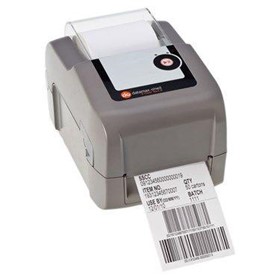
Desktop Label Printers | Datamax-O'Neil E4205A Thermal Transfer + LAN
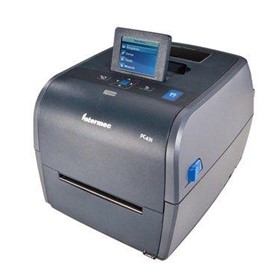
Desktop Label Printers | Intermec PC43T Thermal Transfer + USB
COMPULOAD Thermal Transfer Printer | 4060
COMPULOAD Thermal Transfer Printer | 4070
Thermal Transfer Printer | DataFlex 6230
Thermal Transfer Printer | DataFlex 6420
Thermal Transfer Label Printer | TLP-2824
Thermal Transfer Printer | ZT410
Thermal Transfer Printer I Ticket Printers S-Class
Direct Thermal and Thermal Transfer Printer | ZT620
Honeywell Printer PM42 203DPI Thermal Transfer Printer
Thanks for your help!
Sorry! Unable to submit your request at this time. Please try again later.
Report this product